
Realpacking Recording Program v3.8.1 Beta is now available.
This update introduces a new worker type that starts recording automatically when the camera detects a barcode on screen, eliminating the need for a handheld scanner. We've also expanded supported resolutions up to 4K. Discover how you can now record workflow zones where scanners were previously impractical.
Some fulfillment workflows make handheld barcode scanners impractical.
On conveyor lines where packages pause briefly before moving on, stopping to scan each barcode disrupts the flow. The same applies at sealing machine or auto labeler stations, where there's simply no room for a worker to stand with a scanner.
Packing stations where shipping labels sit on the worktable present a similar challenge. Adding a separate scan step after packing creates unnecessary movement and slows down throughput.
These scanner-unfriendly zones meant gaps in video coverage across the fulfillment line. The Barcode Auto-Recognition worker type was built to close those gaps.
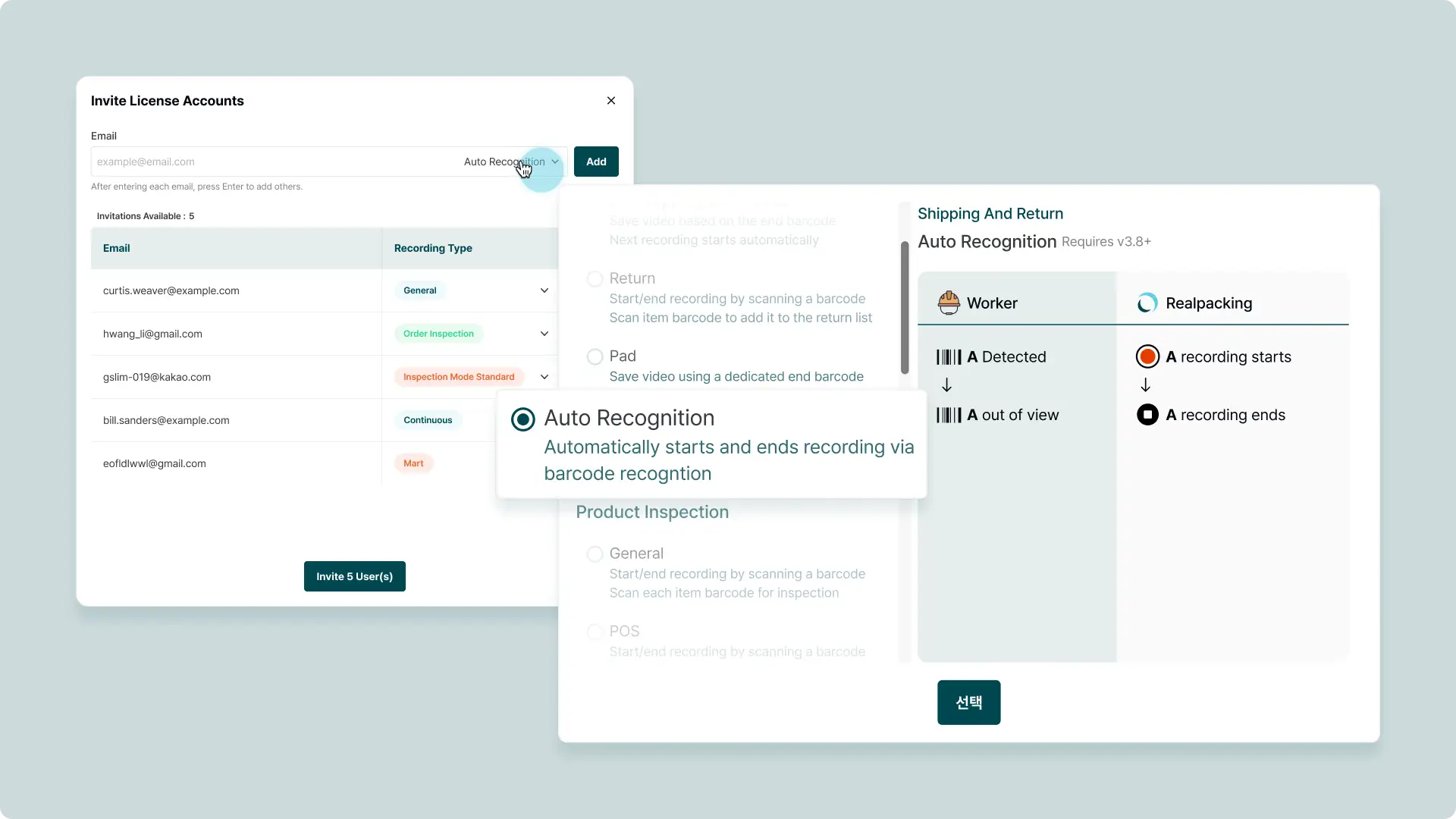
Barcode Auto-Recognition is a new worker type that records without a barcode scanner. When a shipping label barcode appears in the camera's field of view, the system automatically detects it and begins recording under that barcode. No manual scanning or button presses required. The shipping label just needs to be visible to the camera.
Recording starts when a barcode enters the frame and stops when it leaves. Workers don't need to change their existing workflow.
Barcode Auto-Recognition requires site-specific configuration, including recognition sensitivity, barcode format, and recording resolution. Contact Realpacking to get started. A dedicated consultant will assess your environment and handle the setup.
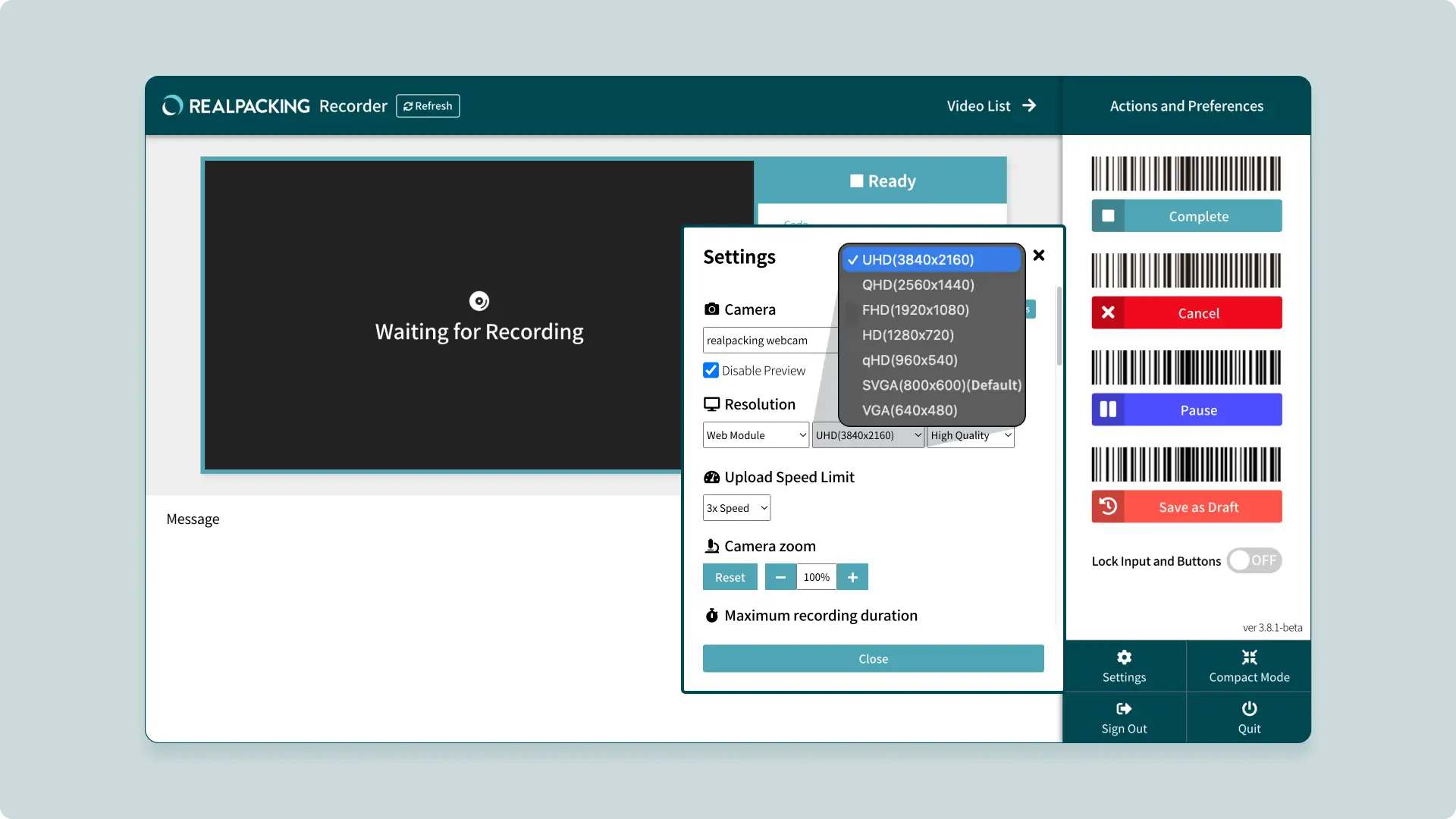
Supported resolutions have been significantly expanded. The Recording Program previously supported up to FHD. Now qHD, QHD (2K), and UHD (4K) are available, enabling 4K video documentation with Realpacking.
Realpacking is not tied to any specific camera. Whether you use a webcam, IP camera, or CCTV, you can freely select your preferred resolution in the Recording Program. With better cameras, the same resolution setting produces higher quality footage. If storage is a concern, lower the resolution to save space. This flexibility lets you find the optimal balance between image quality and storage for your specific environment.
Higher resolution also improves barcode detection accuracy in Auto-Recognition mode, where the camera needs to read barcodes directly from the video feed.
✅ IP Camera Module (IPCM) Improvements: Reduced video delay when using IP cameras and enhanced automatic reconnection when connections drop.
📌 These features are available to customers using Realpacking Recording Program v3 who choose to update to v3.8.1 Beta.
If you've had workflow zones where video documentation wasn't possible due to scanner limitations, explore the Barcode Auto-Recognition worker type. For site-specific configuration, contact Realpacking for assistance.
We're committed to building features that solve real problems on the warehouse floor.


